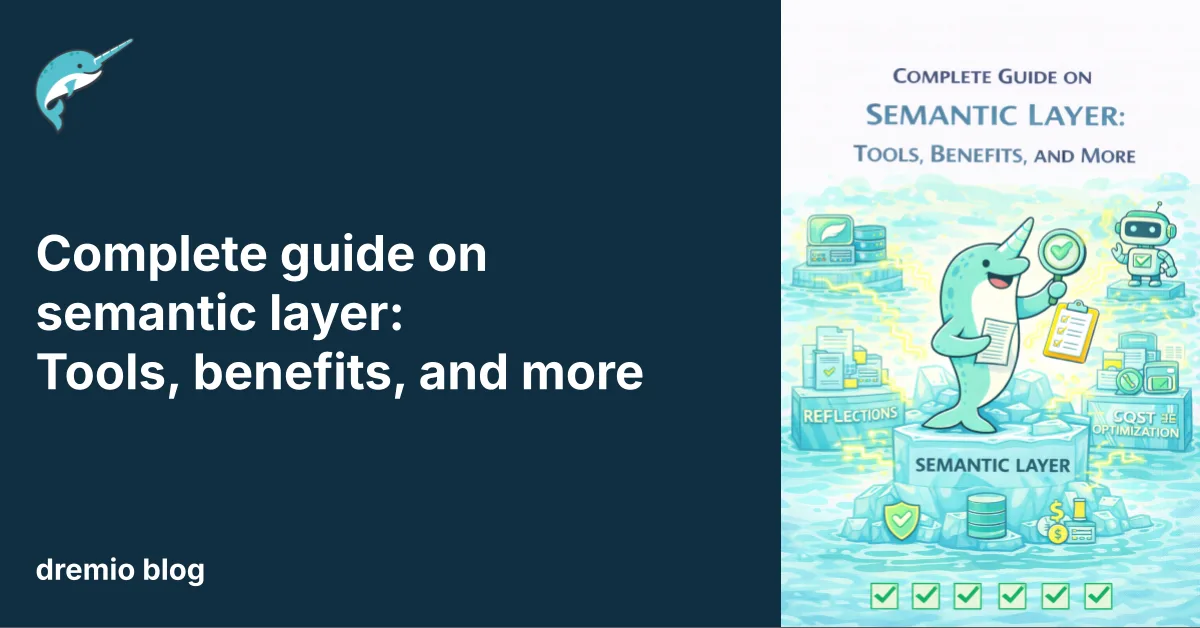
A semantic layer is the bridge between raw data and business meaning. It translates complex database schemas, join relationships, and column names into terms that analysts, executives, and AI systems can understand. Without a semantic layer, every BI tool, dashboard, and AI model must redefine what "revenue" or "active customer" means, leading to conflicting numbers and wasted time.
For modern data teams, a semantic layer brings order to this chaos. It centralizes business definitions in one place so every tool and user queries the same governed, consistent metrics. As AI agents and large language models need reliable data context to function, the semantic layer has become a required part of the enterprise data stack.
Best semantic layer tools
Key features
Dremio AI Semantic Layer
Unified semantic layer with semantic search, AI agent support, automatic data discovery, built-in catalog
dbt Semantic Layer (MetricFlow)
Metrics as code, Git-native governance, warehouse-agnostic, Tableau + Power BI integration
Unity Catalog-native metrics, SQL-based definitions, Genie AI natural language querying
What is a semantic layer in data warehousing?
A semantic layer is an abstraction that maps the physical structure of a data warehouse to business-friendly terms and metrics. It sits between the raw tables in your warehouse and the BI tools, dashboards, and AI models that consume data. Instead of writing complex SQL joins across multiple tables, users query named metrics like "monthly recurring revenue" or "customer lifetime value" and get consistent answers. Semantic layers standardize this translation layer across the organization.
In a data warehouse environment, the semantic layer defines dimensions, measures, relationships, and access rules. It handles the mapping from physical columns (like txn_amt_usd in fact_orders) to business concepts (like "Total Revenue"). This mapping lives in one place and applies across every tool connected to the warehouse, so a metric in Tableau matches the same metric in Power BI, a Python notebook, or an AI agent's query.
Try Dremio’s Interactive Demo
Explore this interactive demo and see how Dremio's Intelligent Lakehouse enables Agentic AI
7 best semantic layer tools for modern data teams
Organizations evaluating semantic layer tools should compare architecture, governance, AI readiness, and scalability. The tools below represent the leading options in 2026, ranging from BI-native layers to universal, headless architectures. Each tool takes a different approach to the same problem: making data understandable and consistent across the enterprise.
1. Dremio AI Semantic Layer
Dremio's semantic layer is part of its agentic lakehouse platform, designed to give both human users and AI agents consistent, governed access to enterprise data. The Dremio AI Semantic Layer combines business context, semantic search, and automatic data discovery in a single platform. Users and AI agents can find relevant data using natural language rather than memorizing table names and column structures.
What separates Dremio is its combined semantic and query acceleration layer. Business definitions, access controls, and performance optimizations all live together. Dremio's semantic layer works with the platform's zero-ETL federation, meaning semantic models can span data sources across clouds and on-premises systems without data movement.
Pros of Dremio AI Semantic Layer
Semantic search and automatic data discovery allow users and AI agents to find data using natural language
Built-in data catalog with lineage tracking, metadata exploration, and fine-grained access control
Works across all federated data sources (cloud, on-premises, hybrid) without data movement
2. dbt Semantic Layer (MetricFlow)
The dbt Semantic Layer, powered by MetricFlow, allows data teams to define metrics as version-controlled code in YAML files within the dbt transformation workflow. It became generally available in late 2024 and supports integration with Tableau Cloud and Power BI.
Pros of dbt Semantic Layer
Metrics are defined as code and managed through Git, giving teams full version control and collaboration
Warehouse-agnostic design works across Snowflake, BigQuery, and Databricks
Cons of dbt Semantic Layer
Requires dbt Cloud, so teams using only dbt Core cannot access the semantic layer features
Queries route through dbt's API to the warehouse, which can add latency compared to direct warehouse queries
No native integration with Looker, and the learning curve for entities, measures, and dimensions concepts can be steep
3. Cube
Cube is an open-source, headless semantic layer that exposes metrics through REST, GraphQL, and SQL APIs. It is designed for flexibility, allowing teams to connect any front-end application, BI tool, or custom dashboard to a single semantic model.
Pros of Cube
Headless architecture with API-first access (REST, GraphQL, SQL) gives teams broad integration options
Optional pre-aggregations speed up queries and reduce warehouse costs
Cons of Cube
Enterprise governance features are less mature compared to BI-native options like Looker
Smaller market presence means fewer enterprise reference customers
Self-hosting is needed for full control, which adds operational overhead
4. AtScale
AtScale provides a universal semantic layer that connects business logic with the data stack. It uses intelligent pushdown and aggregate awareness to deliver fast query results and reduce cloud compute costs.
Pros of AtScale
Enterprise-scale virtualization with consistent KPIs across multiple BI tools
AI-ready architecture that provides governed semantic context for autonomous agents and LLMs
Cons of AtScale
Complex enterprise deployments that require dedicated implementation resources
Higher price point that can be prohibitive for smaller data teams
Less suited for lightweight or small-team use cases
5. Looker (LookML)
Looker offers a BI-native semantic layer through its proprietary LookML modeling language. It combines data modeling, visualization, scheduling, and embedded analytics in one integrated platform within the Google Cloud ecosystem.
Pros of Looker
Strong enterprise governance through LookML's structured modeling approach
AI-assisted modeling and natural language querying powered by Google Gemini
Cons of Looker
Visualization options are more limited and less modern compared to other BI tools
High complexity and learning curve, especially for teams new to LookML
Deep Google ecosystem dependency can limit portability and tool choice
6. Snowflake Semantic Views
Snowflake's Semantic Views provide a platform-native semantic layer within the Snowflake Data Cloud. The Semantic View Autopilot uses AI to automate the creation and maintenance of semantic models, and the layer integrates directly with Snowflake Cortex Analyst for natural language querying.
Pros of Snowflake Semantic Views
Native Snowflake integration with zero additional infrastructure
AI-powered semantic view creation reduces manual modeling work
Cons of Snowflake Semantic Views
Works only within the Snowflake ecosystem, not a universal option
A newer feature with limited maturity compared to dedicated semantic layer tools
Cannot extend semantic models beyond Snowflake data sources
7. Databricks Metric Views
Databricks Metric Views provide platform-native metric definitions within Unity Catalog. They allow teams to define SQL-based metrics that are consistent across Databricks tools and accessible through Genie AI for natural language querying.
Pros of Databricks Metric Views
Native Unity Catalog integration with built-in governance and lineage
Genie AI enables natural language access to defined metrics
Cons of Databricks Metric Views
Works only within the Databricks ecosystem
Relatively new with limited cross-platform support
Not a universal semantic layer for multi-tool environments
Why a semantic data layer matters for analytics and AI
Without a semantic layer, analytics and AI systems inherit inconsistency, governance gaps, and performance problems. Every tool that connects to raw data must redefine business logic independently, creating a web of conflicting definitions and ungoverned access. A well-designed semantic layer for enterprise data addresses these gaps at the architectural level.
Inconsistent metrics erode trust in analytics
When marketing defines "active user" differently from product, and neither matches what the data warehouse team uses, reports conflict and trust breaks down. Decision-makers lose confidence in data when the same question produces different numbers depending on which dashboard they check.
A semantic layer enforces one definition per metric. No matter which tool runs the query, the answer is the same.
Shared metric definitions prevent the "whose numbers are right?" meetings
Consistent metrics across teams build organizational confidence in data
AI systems amplify data ambiguity at scale
Large language models and AI agents do not have the institutional knowledge to resolve ambiguous column names or conflicting metric definitions. When an AI agent encounters two tables that both contain a "revenue" column with different calculations, it has no way to know which one to use. The result is incorrect answers delivered with high confidence.
A semantic layer provides the metadata and context that AI systems need to query data accurately.
AI agents use semantic definitions to select the right metrics and dimensions
Natural language queries return accurate results because the semantic layer resolves ambiguity
Siloed business logic slows enterprise decision-making
When business logic is embedded in individual BI tools, reports, or SQL scripts, changes propagate slowly. Updating a customer segmentation rule means editing dashboards in Tableau, Power BI, and every custom report that references it. This fragmentation slows decision-making.
A semantic layer centralizes business logic so changes apply everywhere at once.
One change in the semantic model updates every connected tool and report
Teams spend less time maintaining dashboards and more time acting on data
Governance gaps increase compliance and security risk
Without a semantic layer, access controls must be configured separately in each tool. A user who is restricted from viewing salary data in Tableau might still access it through a direct SQL query or a different BI tool. This inconsistency creates compliance risk.
A semantic layer applies access policies at the data definition level, so restrictions are enforced regardless of how the data is accessed.
Row-level and column-level security applied once, enforced across all tools
Audit trails and lineage tracking from semantic definition to query result
Performance bottlenecks limit analytics at scale
Semantic layers can include performance optimization features like pre-aggregations, caching, and intelligent query routing. Without these, every query hits the raw data warehouse, increasing costs and response times as data volumes grow.
Query caching speeds up repeated analytical queries
Intelligent routing pushes computation to the most appropriate engine
Key benefits of a data semantic layer
A data semantic layer delivers practical advantages by centralizing business logic, access controls, and performance optimizations in one architectural component.
Consistent business definitions across analytics tools
A semantic layer locks in what "churn rate," "MRR," and "pipeline value" mean. Every BI tool, notebook, and AI agent pulling from the semantic layer uses the same calculation. This consistency removes the recurring problem of conflicting reports.
One definition of "revenue," "customer," and every other business metric
Dashboards in different tools show the same numbers for the same question
Governed access and policy enforcement at scale
Access policies defined in the semantic layer apply to every query, regardless of the tool making the request. This is far more reliable than configuring access controls tool by tool.
Column-level masking hides sensitive fields from unauthorized users
Row-level security filters data based on the user's role or department
Self-service analytics without duplicating logic
Analysts can explore data and build reports without copying SQL logic from other dashboards or asking engineers for help. The semantic layer exposes business-friendly metrics and dimensions that anyone can query.
Analysts build reports using business terms, not SQL joins
No need to duplicate calculation logic across multiple tools
Performance optimization across large-scale data environments
Semantic layers that support pre-aggregation and caching can dramatically reduce query times and compute costs. These optimizations happen transparently, so users see faster results without changing their queries.
Pre-aggregated results serve common queries without warehouse compute
Cache layers reduce repeated reads from expensive storage systems
AI-ready semantics for LLMs and agentic systems
Modern AI systems need more than raw table access. They need business context, definitions, relationships, and access rules. A semantic layer provides this metadata in a structured format that LLMs and AI agents can consume programmatically.
LLMs use semantic definitions to generate accurate SQL
AI agents discover and query the right data through the semantic layer's metadata
How to build a semantic layer
Building a semantic layer requires architectural planning, governance alignment, and collaboration across data engineering, analytics, and business teams. The steps below outline a practical path from assessment to production. A strong foundation starts with building a semantic layer that fits your existing data stack.
1. Assess your existing data architecture
Map your current data sources, warehouses, lakes, and BI tools. Identify which systems hold the authoritative versions of key metrics and where conflicting definitions exist. This inventory tells you where the semantic layer needs to bridge gaps.
List all data sources and how they are currently connected
Identify existing metric definitions and where they conflict
2. Identify and standardize core business metrics
Work with business stakeholders to define the 20-50 most important metrics. Get agreement on exact calculations, data sources, and refresh cadences. These definitions form the core of your semantic model.
Define each metric's calculation, grain, and source tables
Get sign-off from finance, marketing, product, and sales leadership
3. Define dimensions, relationships, and modeling standards
Map the dimensions (time, geography, product, customer) and relationships (joins, hierarchies) that support your core metrics. Establish modeling standards that all future metrics must follow.
Define join paths between fact and dimension tables
Set naming conventions for dimensions, measures, and calculated fields
4. Centralize data governance and access controls
Apply governance policies at the semantic layer so they are enforced consistently. Define who can access which metrics, set up row-level and column-level security, and configure audit logging.
Map access policies to roles and departments
Configure sensitive data masking and row-level filtering
5. Integrate with analytics, AI, and BI tools
Connect the semantic layer to your BI tools (Tableau, Power BI, Looker), notebooks (Jupyter), and AI platforms. Test that metrics return consistent results across every tool.
Validate that the same query returns the same answer in every connected tool
Test AI agent access through APIs or natural language interfaces
6. Optimize performance and scalability
Configure pre-aggregations, caching, and query routing to handle production workloads. Monitor query patterns to identify opportunities for performance improvements.
Add pre-aggregations for frequently queried metrics
Set up caching policies based on data freshness requirements
7. Monitor, iterate, and evolve the semantic model
A semantic layer is not a one-time build. As the business evolves, new metrics, dimensions, and data sources will need to be added. Set up monitoring to track usage, performance, and coverage.
Track which metrics are most queried and which are unused
Set up alerting for metric definition changes and data quality issues
How to choose the right semantic layer tools: a checklist for enterprises
Selecting the right semantic layer tool requires a structured evaluation of architecture, governance, and scalability. Use the checklist below to compare vendors and identify the best fit for your data stack. Start by bringing your semantic layer to life with a tool that matches your long-term architecture.
Evaluation criteria for semantic layer tools
Why it matters
Questions to ask vendors
Architecture and deployment model
Determines whether the tool is universal (works across all tools) or platform-native (locked to one ecosystem)
Is this a headless/universal semantic layer, or does it require a specific BI platform or warehouse?
Governance and security controls
Critical for enforcing consistent access policies across all tools and users
Does it support row-level and column-level security? Can access policies be defined once and enforced everywhere?
AI and analytics interoperability
Determines whether AI agents and LLMs can consume semantic definitions programmatically
Can AI agents query the semantic layer? Does it expose metadata through APIs that LLMs can use?
Performance at scale
Affects query response times and compute costs as data volumes and user counts grow
Does the tool support pre-aggregations or caching? How does it handle concurrent queries at enterprise scale?
Total cost of ownership and operational complexity
Impacts long-term budget and the engineering effort needed to maintain the semantic layer
What is the licensing model? How much engineering effort is required for ongoing maintenance?
Unify governance and AI with a universal semantic layer from Dremio
Dremio's semantic layer is a modern, AI-ready component of its agentic lakehouse platform. It unifies analytics, governance, and performance at scale by combining business context, semantic search, and fine-grained access control in a single system. Unlike platform-native options that lock you into one ecosystem, Dremio's unified semantic layer works across all federated data sources.
Semantic search and discovery: Users and AI agents find data through natural language, not table names
Unified business context: Consistent metric definitions applied across every BI tool, notebook, and AI agent
Fine-grained governance: Row-level and column-level security enforced at the semantic layer across all data sources
Zero-ETL federation: Semantic models span data across clouds and on-premises systems without data movement
AI agent readiness: Structured metadata that LLMs and agentic systems can consume programmatically for accurate queries
Book a demo today and see how Dremio's semantic layer delivers consistent metrics, strong governance, and AI-ready performance across your enterprise data environment.
Frequently asked questions
What is the difference between a semantic layer and a data warehouse?
A data warehouse stores and organizes structured data for querying and reporting. A semantic layer sits on top of the warehouse (or across multiple data sources) and translates physical data structures into business-friendly definitions. The warehouse handles storage and compute. The semantic layer handles meaning and consistency. Data-driven organizations need both: a data warehouse for reliable data storage and a semantic layer for a single source of truth in business definitions.
Can a semantic data layer support both business intelligence (BI) and AI use cases?
Yes. A well-designed semantic layer serves as the shared metadata source for both BI tools and AI systems. BI tools use the semantic layer to display consistent metrics on dashboards. AI agents and LLMs use the same semantic definitions to generate accurate SQL and return trustworthy answers. This dual use is what makes the semantic layer so important for unified data analytics. Data engineers define the business logic once, and both BI and AI consume it. This approach helps ensure consistency across all analytical workloads.
What are the requirements for a semantic layer in enterprise environments?
Enterprise semantic layers must support fine-grained governance (row/column-level security), integration with multiple BI and AI tools, scalable performance (pre-aggregations, caching), version control for semantic model changes, and comprehensive audit logging. They must also meet data compliance requirements like GDPR, HIPAA, and SOX by enforcing access controls and maintaining full lineage from raw data to business metric.
Try Dremio Cloud free for 30 days
Deploy agentic analytics directly on Apache Iceberg data with no pipelines and no added overhead.
Intro to Dremio, Nessie, and Apache Iceberg on Your Laptop
We're always looking for ways to better handle and save money on our data. That's why the "data lakehouse" is becoming so popular. It offers a mix of the flexibility of data lakes and the ease of use and performance of data warehouses. The goal? Make data handling easier and cheaper. So, how do we […]
Aug 16, 2023·Dremio Blog: News Highlights
5 Use Cases for the Dremio Lakehouse
With its capabilities in on-prem to cloud migration, data warehouse offload, data virtualization, upgrading data lakes and lakehouses, and building customer-facing analytics applications, Dremio provides the tools and functionalities to streamline operations and unlock the full potential of data assets.
Aug 31, 2023·Dremio Blog: News Highlights
Dremio Arctic is Now Your Data Lakehouse Catalog in Dremio Cloud
Dremio Arctic bring new features to Dremio Cloud, including Apache Iceberg table optimization and Data as Code.